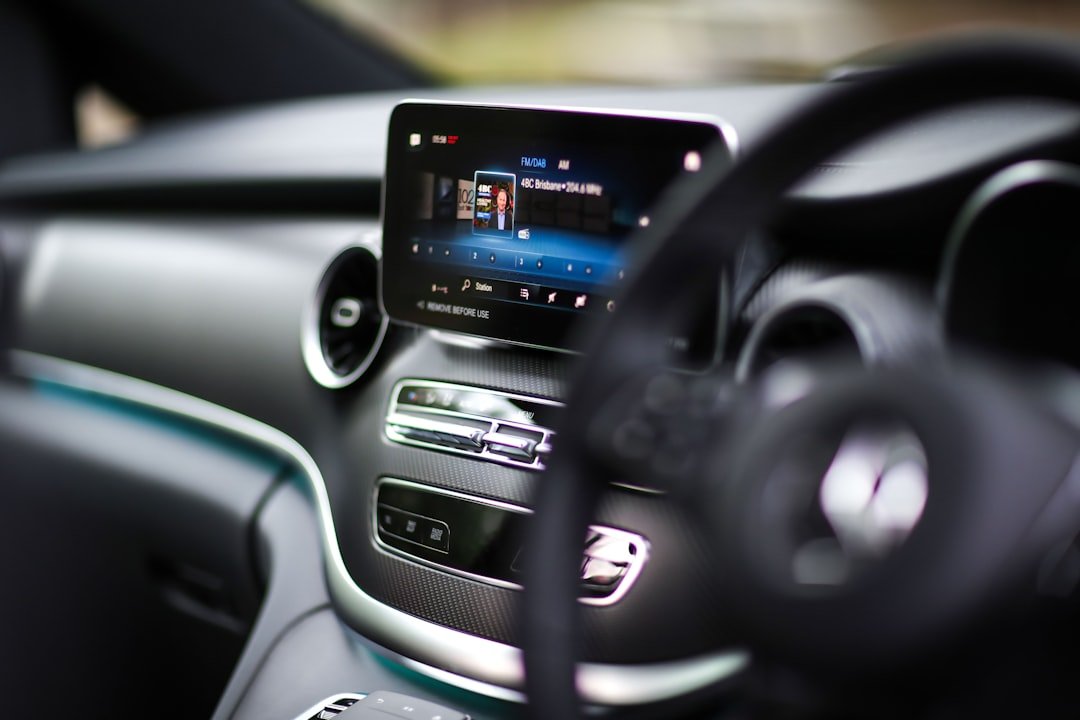
If you spend hours in your car each week, your infotainment system matters more than you think. CarPlay vs Android Auto isn’t just about fancy dashboards—it determines whether you’re safely navigating, answering calls hands-free, and staying connected without distraction. The truth is, CarPlay vs Android Auto each excel in different situations, and your choice depends on your phone, car model, and daily habits.
Quick Comparison: CarPlay vs Android Auto at a Glance
| Feature | Apple CarPlay | Android Auto |
|---|---|---|
| Device Compatibility | iPhone 5s and newer | Android 5.0 and newer |
| Connection Type | Wired or wireless (newer cars) | Wired USB or wireless (Android 11+) |
| Voice Assistant | Siri | Google Assistant |
| Navigation Apps | Apple Maps, Google Maps, Waze | Google Maps, Waze, navigation apps via Android |
| Music Streaming | Apple Music, Spotify, Amazon Music | Spotify, YouTube Music, Google Play Music |
| Screen Mirroring | Limited app selection | Full screen projection available |
Understanding CarPlay vs Android Auto: What Actually Matters
Most people don’t realize that CarPlay vs Android Auto operate on completely different philosophies. Apple’s CarPlay locks you into curated apps designed specifically for driving, which sounds restrictive until you’re cruising at 65 mph and realize you’re not scrolling through 47 social media notifications. Android Auto gives you more freedom but also more distractions—the choice between safety and flexibility happens every time you tap your screen.
I’ve been using both systems for years, and here’s what nobody tells you: the infotainment system that came with your car matters less than you’d think. Modern aftermarket head units support either one, meaning your 2018 Honda CR-V doesn’t lock you into Honda’s factory setup. You can upgrade to something better.
Why does this distinction matter? Vehicle compatibility changes yearly. Toyota, Ford, Chevrolet, and BMW all support one or both systems, but not always both from day one. Your car’s infotainment hardware, software version, and USB port type all influence whether CarPlay vs Android Auto works wirelessly or requires a cable.
Before You Decide: Your Compatibility Checklist
- Verify your phone model and OS version meet minimum requirements for your car’s current system
- Check your vehicle’s manufacturer specs—some 2020-2021 models still use wired-only connections
- Test both systems in person at a dealership if you’re shopping for a car
- Confirm your car’s USB port type (some older vehicles have USB 2.0, not USB-C)
- Ask whether your aftermarket head unit supports wireless connectivity or only wired
- Review your phone’s software support timeline—older Android phones may not get Android Auto updates
How to Choose Between CarPlay vs Android Auto: Step-by-Step Method
Condition: You own or are considering buying a car and want to match the infotainment system to your smartphone and driving needs.
Audience: Car owners and shoppers aged 25–55 who drive daily and rely on navigation, music streaming, hands-free calls, and messaging apps.
Method: Follow this process to evaluate which system serves your specific situation without overthinking features you’ll never use.
- Identify which phone ecosystem you’re committed to—will you stay on iPhone or Android for the next 3–5 years? Switching platforms makes your infotainment choice less relevant.
- List the apps you use most while driving: navigation (Google Maps, Waze, Apple Maps), music (Spotify, Apple Music, YouTube Music), messaging (WhatsApp, iMessage), and hands-free calling.
- Check your car’s factory infotainment specs or test both CarPlay vs Android Auto systems at a dealership for 15 minutes to feel the interface responsiveness and screen size.
- Decide whether wireless connectivity matters to you—if you switch between multiple vehicles or hate dealing with USB cables, wireless is worth the extra cost.
- Research your specific vehicle model on forums or YouTube to see real users’ complaints about lag, crashes, or compatibility issues with either system.
- If your current car doesn’t support your preferred system, explore aftermarket head unit options—brands like Alpine, Sony, and Kenwood offer CarPlay vs Android Auto compatibility on most vehicles.
This is the part that actually matters: test it in your own car before committing. What looks good in a dealership demo might frustrate you during your actual commute.
CarPlay vs Android Auto: Real-World Performance and User Experience
I’ve seen so many drivers abandon CarPlay or Android Auto after a few weeks because they didn’t understand the learning curve. Neither system is intuitive on day one. Siri voice commands feel awkward at first. Google Assistant sometimes misunderstands your accent. The touchscreen responsiveness varies wildly depending on your car’s processor, not your phone.
Wireless connectivity sounds revolutionary until your car refuses to recognize your phone during cold weather or after a software update. I’ve been troubleshooting CarPlay vs Android Auto connection issues for years, and here’s the truth: wired connections are more reliable. Wireless is convenient on days it works. Choose based on your tolerance for occasional frustration.
You’d think CarPlay’s curated app approach means fewer crashes and glitches—it usually doesn’t. I’ve experienced Apple CarPlay freezing mid-navigation, requiring a full restart and recalibration. Android Auto has crashed less often in my experience, but when it fails, the recovery takes longer.
Key Performance Differences Worth Understanding
Navigation responsiveness in CarPlay vs Android Auto depends on your head unit’s processor, not your phone’s power. A 2024 Mazda CX-5 with a modern infotainment system will feel snappier than a 2020 Toyota Camry with dated hardware. Upgrading your phone won’t fix a sluggish car’s system. Upgrading your car’s head unit will.
Voice command accuracy matters daily. Google Assistant understands natural speech better than Siri—you can say “take me to Thai food near the highway” instead of “navigate to Thai restaurant near Interstate 5.” Siri requires specific phrasing. Neither reaches human-level comprehension yet.
Screen size and layout vary by vehicle. The Kia Telluride offers a 12.3-inch touchscreen. Some compact cars have 6.5-inch screens. Larger displays make CarPlay vs Android Auto significantly easier to use safely at highway speeds, but not every car gives you that luxury.
My Picks for This
- Tesla Model 3 features native integration across both iOS and Android ecosystems with its custom-built operating system, making it ideal for tech-focused drivers who want ecosystem flexibility without traditional CarPlay vs Android Auto constraints.
- Honda CR-V offers wireless CarPlay and wired Android Auto across most 2019+ model years, hitting the middle ground for drivers who want functionality without expensive aftermarket upgrades.
- Ford F-150 supports both CarPlay vs Android Auto wirelessly on 2023+ models, plus Ford’s Sync 4A system adds productivity features like wireless device charging and dual-phone connectivity.
- Alpine iLX-F511 aftermarket head unit provides both wireless CarPlay and Android Auto for older vehicles, perfect if your current car’s factory system feels outdated or doesn’t support your phone.
- Kia Telluride combines a large 12.3-inch touchscreen with responsive CarPlay vs Android Auto support, offering the best user experience for families and commuters who spend serious time in their vehicles.
Frequently Asked Questions (FAQ)
Q1. Can I use CarPlay vs Android Auto in any car?
No. Your car’s manufacturer determines support. Newer vehicles (2018+) from Toyota, Honda, Ford, Mazda, Kia, and others support one or both systems, but older cars do not. You can install aftermarket head units to add either system to vehicles originally without it, but the process costs between $300–$1,200 depending on your car’s dashboard design and the head unit quality.
Q2. Which uses more phone battery: CarPlay vs Android Auto?
Both drain batteries similarly when running navigation with the phone’s screen off and connected via cable. Wireless connections drain battery faster because your phone maintains Bluetooth and WiFi connections simultaneously. If you’re taking a long road trip, bring a car charger regardless of which system you use.
Q3. Do I need to upgrade my phone to use CarPlay vs Android Auto?
Not always. iPhone 5s and newer support CarPlay. Android 5.0 and newer support Android Auto. However, older devices may experience slower performance or incompatibility with newer car models. If your phone is over five years old, you might face compatibility issues with 2023+ vehicles.
Q4. Is wireless CarPlay vs Android Auto more reliable than wired?
Wired connections are more reliable and faster. Wireless introduces variables: Bluetooth interference, weak WiFi in parking lots, software bugs, and temperature sensitivity. For daily driving, wired works; for convenience enthusiasts, wireless is worth accepting occasional reconnection delays.
Q5. Can I switch between CarPlay vs Android Auto in the same car?
Yes, if your car supports both systems. However, you can only connect one phone at a time. Your car doesn’t remember preferences between switching devices, so you’ll re-configure settings each time you switch phones or users.
Q6. Which apps work with CarPlay vs Android Auto while driving?
Navigation apps (Google Maps, Waze, Apple Maps), music streaming (Spotify, Apple Music, YouTube Music), and messaging (text-to-speech only) work across both systems. Social media apps are blocked while driving for safety. Full app mirroring is technically possible on Android Auto but not recommended while moving.
Related posts
This post is for informational purposes only and does not constitute professional mechanical advice, legal advice, financial advice, or insurance guidance. Automotive repairs, installations, and modifications involve inherent risks — always consult a certified mechanic or licensed professional before performing any work on your vehicle. Car prices, insurance rates, EV tax credits, product specs, and availability are subject to change without notice and may vary by location, dealership, and individual circumstances. Always verify current details directly with manufacturers, retailers, dealerships, insurance providers, and relevant government agencies before making any purchase or financial decision. Fuel economy figures, EV range estimates, and performance data referenced in this post are based on manufacturer or third-party estimates and may differ from real-world results. This site may contain affiliate links — if you purchase through our links, we may earn a commission at no additional cost to you. Product recommendations are based on general research and editorial judgment; we do not guarantee suitability for your specific vehicle, driving conditions, or personal situation. Always read product instructions, vehicle owner manuals, and safety warnings before use.