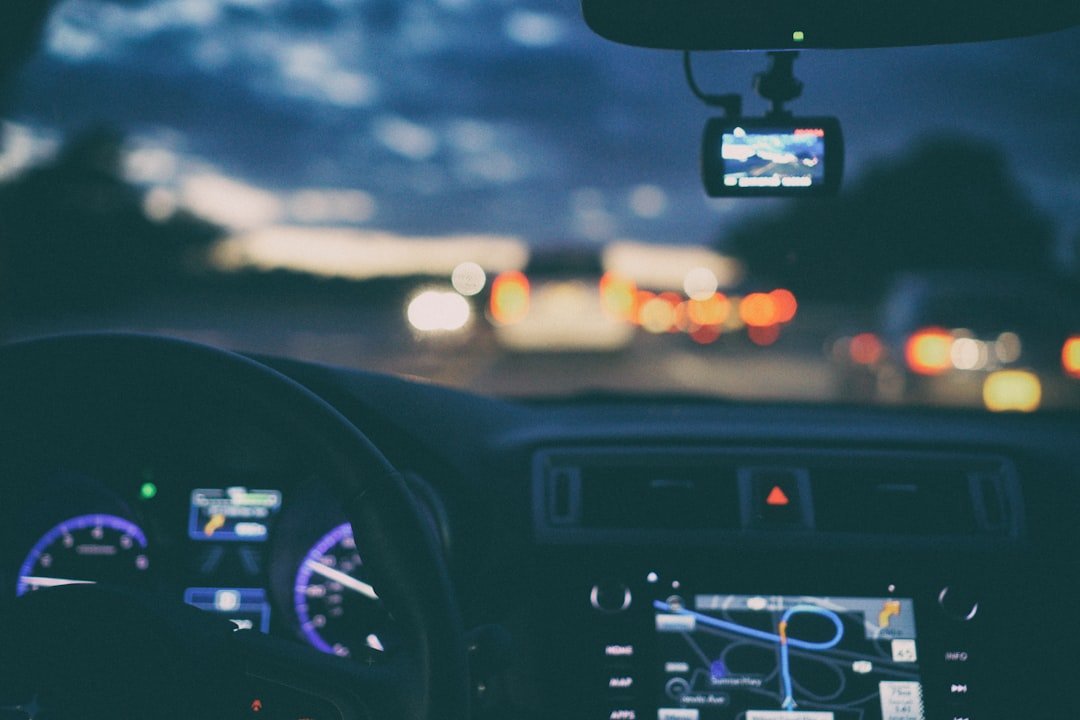
You leave work after dark, a car cuts across two lanes, and the plate is visible for only a second. The best dash cam for daily driving records that moment with usable detail, starts every trip without fuss, and does not turn into another device you have to manage. Night vision matters most here.
For most commuters, a compact front-and-rear camera with a modern low-light image sensor is the sensible target. Keep it simple. A 4K front camera can help with daylight plate detail, but dependable night footage, parking protection, and a rear view often matter more than chasing the largest resolution number on the box.
Dash cams do not have true night vision in the military or wildlife-camera sense. They need light. Street lamps, headlights, storefronts, and reflective road markings give the camera something to work with, while a decent sensor and processor control noise, glare, motion blur, and washed-out headlights.
What makes the best dash cam for daily driving
A good daily driver dash cam should disappear into the routine. It records automatically. Look first for stable loop recording, a reliable supercapacitor instead of a basic internal battery, a wide enough view to cover the road, and an app or screen that lets you save a clip without fighting menus after a stressful incident.
Heat resistance deserves more attention than it gets. Parked cars get hot. A supercapacitor generally handles cabin heat better than a small lithium battery, although no electronics enjoy extreme sun exposure, so check the manufacturer temperature rating and use a quality memory card rated for constant recording.
Dual-channel coverage is usually the stronger choice for a daily commuter who parks in public lots or drives in congested traffic. Rear impacts happen. A front-only camera costs less, is easier to fit, and has one fewer cable to hide, but it cannot show a vehicle following too closely or document a rear-end collision.
Do not judge image quality by resolution alone. A 4K sensor has more pixels. At night, however, a camera may lower its shutter speed, increase gain, or compress the image heavily, and any of those choices can turn a moving number plate into a bright smear even when the road scene looks clear.
Look for a current low-light sensor, often identified in product specifications as a Sony STARVIS or STARVIS 2 unit, plus HDR or WDR processing designed for difficult lighting. Labels are not guarantees. Read sample footage from the exact camera model, preferably footage posted at night in rain, under LED streetlights, and on unlit roads.
Night vision is really low-light performance
The phrase night vision can create the wrong expectation. Dash cams cannot reliably read every passing plate in darkness. Plate capture depends on the camera angle, closing speed, plate reflectivity, headlights, road lighting, windshield condition, and whether the other car is moving across the frame or sitting ahead at a stoplight.
A wider lens catches more of the scene, but distant objects occupy fewer pixels. There is a trade-off. A very wide field of view may record the car entering from the side, while a slightly narrower lens can make the vehicle ahead look larger and sometimes preserve more useful detail.
HDR can help when one side of the image is dark and headlights or signs are extremely bright. It is useful. But aggressive HDR sometimes creates ghosting around moving objects, so actual footage matters more than a feature list.
Infrared LEDs are another common source of confusion. They are mainly useful for an interior-facing camera that records the cabin at night, particularly for rideshare drivers. Infrared reflection through a windshield does little for the road ahead and can make glass reflections worse, so do not buy a forward camera solely because its listing says infrared.
Keep the windshield clean inside and out. It makes a difference. Greasy film, worn wiper blades, water spots, and a dash cam mounted behind tinted glass create halos around lights that no expensive sensor can fully overcome.
Choose the camera layout before the brand
A front-only camera suits drivers who mainly want evidence of what happens ahead and want the least complicated installation. It is enough for many people. A small front camera also tends to be less noticeable from outside, which can matter if you regularly leave the vehicle on the street.
Front-and-rear systems make more sense for high-mileage commuting, school runs, regular highway driving, or crowded parking areas. The rear channel adds context. Installation takes longer because the rear cable usually runs under trim panels and through the flexible rubber boot between the body and liftgate or hatch.
A three-channel system adds an interior camera. That is useful for taxi, delivery, and rideshare work, or for parents who need a record inside the vehicle. Privacy rules vary by jurisdiction. For example, California generally requires consent from all parties before recording a confidential conversation under California Penal Code section 632, so rideshare drivers there should get legal guidance before recording cabin audio. Check local laws and company policies before recording passengers with audio, and tell occupants where notice or consent is required.
Some cameras use a removable rear camera, while others require the rear channel to stay connected. Think about your vehicle. A pickup with a canopy, a large SUV, or a work van often requires a longer cable run and a camera position that sees behind the vehicle rather than mostly cargo or interior trim.
Parking mode changes the buying decision
Parking mode records impacts or movement while the vehicle is off. It can be valuable. It also requires a plan for power use, installation, and storage because a camera that watches a parked car for hours has very different demands than one that records only during a commute.
A hardwire kit connected to an ignition-switched circuit and a constant-power circuit is the usual clean solution. Most kits include a voltage cutoff. The cutoff reduces the chance of draining the starter battery, but battery condition, vehicle charging performance, temperature, and parked time determine the result.
Some premium systems use buffered parking recording, which saves a few seconds before an impact or motion trigger rather than starting after the event. That detail matters. A basic impact-only mode may show the jolt but miss the approach of the car or person that caused it.
Motion detection can create a mountain of useless clips in a busy apartment lot, especially when trees, headlights, pedestrians, and passing traffic trigger the camera. Time-lapse and low-bitrate recording use less storage, but they may miss short details. Radar-assisted parking modes can reduce some false triggers, though they increase cost and still need sensible setup.
If you leave the car parked for days, consider a dedicated dash cam battery pack rather than relying entirely on the vehicle battery. It costs more. The benefit is a separate power reserve; confirm fitment space, charging behavior, and local installation requirements with a qualified installer or shop.
Budget guide: what to expect at each price
For a front-only setup, plan roughly US$100 to US$150 for a compact 2K camera such as the Viofo A119 Mini 2, before a hardwire kit and high-endurance card. This tier is a practical choice when discreet installation and solid forward coverage matter more than rear footage.
From about US$150 to US$300, buyers can budget for a premium compact front camera, installation accessories, and storage, or look for a basic front-and-rear package during promotions. At this level, compare the included rear camera, hardwire kit, GPS option, and parking-mode support rather than assuming the headline camera price includes everything.
Expect roughly US$300 to US$500 for higher-resolution front-and-rear systems such as many Viofo A229 Pro packages. Premium parking-focused and cloud-connected bundles, including Thinkware U3000 and BlackVue DR970X configurations, commonly reach US$450 and above once rear cameras, hardwire hardware, or connectivity accessories are included. Prices move frequently by region, seller, bundle, and promotion, so use these as planning ranges and check the final package price before buying.
Shortlist cameras by your real use
The Viofo A119 Mini 2 is a front-only 2K camera. Viofo lists 2560 × 1440 recording at up to 30 frames per second and a Sony STARVIS 2 image sensor, giving shoppers a concrete baseline to compare against 1080p compact cameras. For night evaluation, review the manufacturer’s footage and full specifications at viofo.com before buying; the useful test is whether moving vehicles and bright headlight transitions remain readable on roads like yours.
The Viofo A229 Pro provides a clearer resolution comparison: Viofo lists 4K 3840 × 2160 front recording and 2K 2560 × 1440 rear recording for its two-channel configuration. That published difference explains its larger files and higher storage needs. Compare its official day and night sample clips with A119 Mini 2 footage at viofo.com, using the same viewing screen and looking at motion rather than paused still frames alone.
Garmin Mini 3 is a compact 1080p camera with a 140-degree field of view in Garmin’s published specifications. Its smaller file sizes and windshield footprint are its main trade-offs against a 2K or 4K model, rather than a direct night-detail advantage. Garmin’s product page and sample material at garmin.com are the appropriate source for confirming GPS, parking guard, subscription, and regional feature availability before purchase.
Thinkware lists the U3000 as a 4K front and 2K rear system, with its parking-surveillance features as a major part of the package. That resolution comparison is useful, but it does not by itself establish better night plate capture than another camera. Review Thinkware’s official U3000 sample footage and specifications at thinkwarestore.com, especially buffered parking clips and footage under LED lighting, before paying for a premium bundle.
BlackVue DR970X configurations are built around 4K front recording, connected features, and remote-notification options. Rear-camera resolution and cloud functions vary across DR970X versions and regional packages, so compare the exact suffix and two-channel specification sheet at blackvuenorthamerica.com or the manufacturer’s regional site. Connected functions normally need a compatible internet connection and can involve a separate data plan or service terms.
Nextbase is best compared by a specific model rather than the brand name alone because its lineup includes cameras with different resolutions, screens, rear-camera options, and connected functions. A screen helps during setup and roadside review, while a screenless camera is often smaller and less distracting once installed. Check the exact model’s published recording resolution and night sample footage at nextbase.com before treating it as comparable with a 2K or 4K competitor.
None of those names is automatically right for every car. A low roofline, heated windshield area, steep rear glass, powered tailgate, factory privacy tint, or a vehicle with advanced driver-assistance cameras can change where a dash cam fits and how difficult the wiring becomes.
Specification and footage sources: manufacturer product pages and manuals for Viofo A119 Mini 2 and A229 Pro at viofo.com; Garmin Mini 3 at garmin.com; Thinkware U3000 at thinkwarestore.com; BlackVue DR970X at blackvuenorthamerica.com; and individual Nextbase models at nextbase.com. Published resolution and frame-rate figures are manufacturer specifications, not independently measured laboratory results. Use the linked manufacturer night samples as a starting point and seek independent full-length footage before making a final choice.
Spend money where the footage benefits
Set aside part of the budget for installation and storage. Do not skip this. A well-mounted mid-priced camera with a good memory card is more useful than a costly camera that falls off the glass, loses files, or records through a dirty windshield.
Use a high-endurance microSD card from a known retailer, sized for the number of channels and your desired recording time. Cards wear out. Dash cams overwrite footage constantly, and an ordinary bargain card may become unreliable without obvious warning, so format it inside the camera at the interval recommended by the manufacturer and replace it when errors appear.
GPS is another trade-off. It can document route, location, and speed data, which may help establish context after an incident. Some drivers prefer privacy. Many cameras let you disable GPS logging or hide speed information in exported footage, but check the exact settings because the app, camera firmware, and regional version can differ.
Audio recording can capture useful context, yet it also records conversations in the cabin. Decide before installation. If you carry clients, coworkers, or passengers regularly, understand the recording rules where you drive and use the camera controls to disable audio if that better fits your situation.
Installation details that affect results
Mount the front camera high behind the rearview mirror, within the area permitted by local rules and outside the driver’s direct view. Check the framing. You want a small amount of hood at the bottom and enough sky to handle bright scenes, without mounting so high that the mirror blocks a large part of the image.
Do not place a camera over an airbag cover, sensor housing, or a windshield area used by factory cameras. Read the vehicle manual. Modern windshields can contain rain sensors, lane-camera modules, heating elements, metallic coatings, and safety equipment that make a casual mounting spot a bad idea.
For a rear camera, take time to route the cable so it cannot pinch in trim or interfere with hatch movement. Test it first. Open and close the hatch several times before reinstalling panels, and leave enough slack at the hinge area without leaving loose cable that can snag.
After installation, drive once in daylight and once after dark, then review clips on a larger screen. This is the real test. Adjust the camera angle, exposure setting, and rear view before an incident happens, since a slightly tilted lens or excessive dashboard reflection is much easier to fix on a quiet evening.
FAQ
Is 4K necessary for a daily dash cam?
No, but it can help in good light. A good 2K camera with a newer low-light sensor may produce more usable night footage than an older 4K model, especially when vehicles are moving quickly. Compare real clips.
Can a dash cam read license plates at night?
Sometimes, under favorable conditions. It is harder than most product ads suggest. Plates are easiest to capture when both vehicles are traveling similarly, the plate is close, the camera lens is clean, and there is useful ambient light.
Will parking mode drain my battery?
It can if it runs long enough. A voltage-cutoff hardwire kit reduces the risk, but it is not magic. Check the vehicle battery health, set the cutoff appropriately, and consider a dedicated battery pack if long parked coverage is a priority.
Should I choose a dash cam with a screen?
A screen makes setup and quick clip checks easier. A screenless unit is usually smaller. Either can work well for daily driving if the camera has reliable recording, sensible controls, and an app that does not make retrieving footage a chore.
How often should I check a dash cam?
Check it monthly and after any unusual event. Confirm the date, memory-card health, camera alignment, and rear-channel connection. A dash cam only helps if it was actually recording when you needed it.
Related posts
This article is for general informational purposes only and is not mechanical, legal, insurance, or professional installation advice. Dash cam prices, product specifications, software features, parking-mode behavior, and manufacturer support terms can change over time and vary by model, region, vehicle, and provider — always verify current details with the manufacturer, retailer, installer, insurer, or other relevant official source before making a decision.
Disclosure: This post may contain affiliate links. If you click through and make a purchase, we may earn a commission at no extra cost to you. We only recommend products we’ve researched or genuinely believe in.