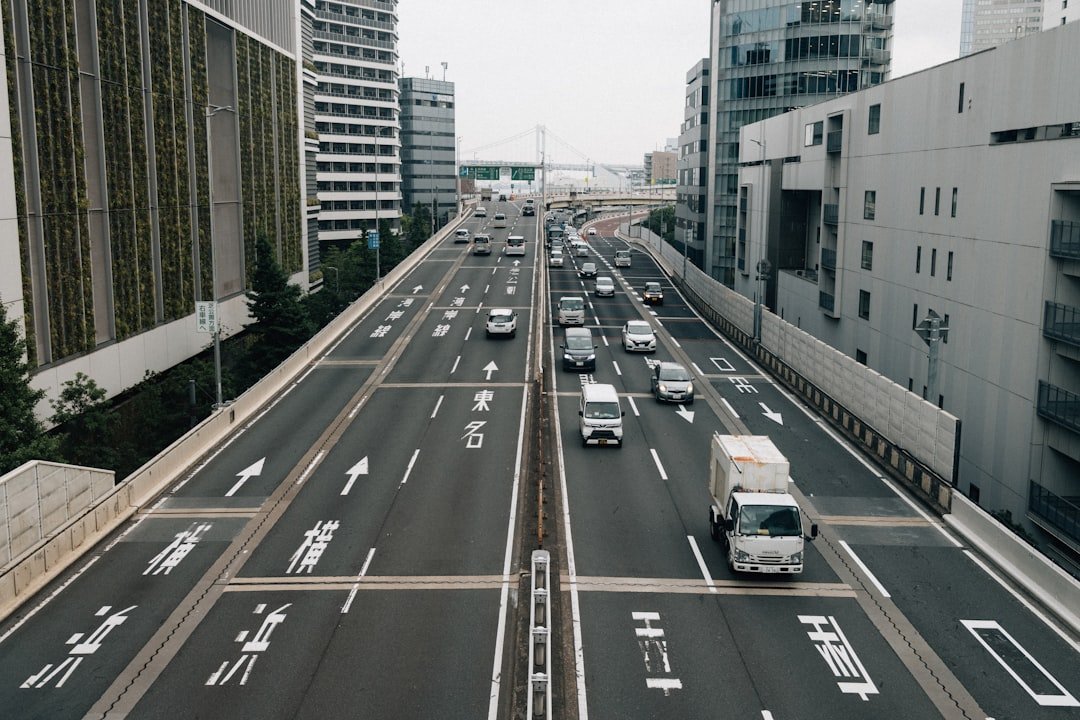
What does lane keep assist do? It monitors the lane markings ahead and applies a small steering correction if your vehicle begins to drift toward or across a line without a turn signal. It is a driver aid, not self-driving technology, and it generally works only when the system can clearly see the road markings. That distinction matters.
What does lane keep assist do in real driving?
Most lane keep assist systems use a forward-facing camera, usually mounted near the rearview mirror, to identify painted lane lines. When the vehicle approaches a line, the system may gently turn the steering wheel toward the middle of the lane, apply light braking on one side, or use both methods depending on the vehicle. The correction is usually subtle. You may feel it as a tug at the wheel.
The system normally activates only above a minimum speed, often on faster roads, although the exact threshold varies by make and model. It also expects the driver to keep both hands ready on the wheel, watch traffic, and make every decision about passing, merging, road hazards, and route choice. Your hands stay involved. If the car senses little steering input for too long, it may flash warnings, sound chimes, or eventually reduce assistance.
Lane keep assist is most useful during the kind of unintentional drift that happens on a long highway drive, when attention slips for a moment or a crowned road slowly pulls the vehicle sideways. It can add a margin before a tire crosses the line, but it cannot judge whether moving within the lane is safe around a motorcycle, a pothole, road debris, or a vehicle that has entered your space. It has limits. The driver remains responsible.
How it differs from lane departure warning
Lane departure warning notices that the vehicle is nearing or crossing a lane marking and alerts the driver. It may beep, flash an icon in the gauge cluster, vibrate the steering wheel, or pulse the driver’s seat. No steering correction is required. In its basic form, lane departure warning tells you there is a problem and waits for you to respond.
Lane keep assist goes a step further because it can intervene with steering or brake input after it detects drift. The difference is simple. Lane departure warning warns, while lane keep assist can help guide the vehicle away from the line. Many current vehicles combine both functions, so a warning may come first and a steering correction may follow if the driver does not react.
The names are not perfectly standardized across brands. One manufacturer may call the system lane-keeping aid, another may use lane-keeping system, and a package with stronger steering support may be labeled lane centering or highway assist. Read the owner’s manual. The badge on the window sticker does not always explain exactly how the system behaves.
Lane keep assist versus lane centering
Lane keep assist usually reacts near the edges of the lane. On a wide, clearly marked freeway, it may let the vehicle move around naturally until it gets close to a painted line, then nudge it back. That can feel like a correction rather than continuous guidance. It is reactive.
Lane centering tries to hold the vehicle near the middle of the lane more consistently, often by making frequent small steering inputs even when the car is not close to either line. Some adaptive cruise control packages pair lane centering with speed and following-distance control, which can reduce fatigue on a highway trip but still requires active supervision. The system does not replace you. A sharp curve, faded paint, construction zone, or confusing merge can overwhelm it quickly.
Some vehicles offer both modes in the settings menu, while others have only one system with a name that sounds broader than its actual capability. A test drive helps here. Try the controls on a familiar divided road with clear markings, keep your hands on the wheel, and pay attention to whether the car simply pushes away from a line or stays centered without waiting for a drift.
When lane keep assist may not work well
Camera-based systems need clear visual information, and real roads do not always provide it. Faded paint, snow, standing water, glare from a low sun, heavy rain, fog, dirty camera lenses, patched pavement, temporary construction markings, and poorly marked rural roads can reduce performance or cause the system to switch off. That is normal. A dashboard message may tell you that the camera is blocked or lane markings are unavailable.
The system can also get confused where old lane lines remain visible after resurfacing, where lanes split around a work zone, or where a narrow road has no center line or edge line. It may not recognize every curve at a speed that feels comfortable to you, particularly if the vehicle is loaded, towing, or traveling on a winding road. Slow down first. Do not wait for the steering assist to decide what the road requires.
Turn signals generally tell the system that a lane change is intentional, so lane keep assist often reduces or stops intervention when you signal. Use the signal anyway. Do not expect the vehicle to understand every situation, such as avoiding a cyclist, moving around a disabled vehicle, or crossing a line to give extra room to a pedestrian.
What the steering correction feels like
A well-calibrated system usually feels like a modest resistance or nudge rather than a hard steering command. The wheel may move under your hands, and some systems give a brief steering-wheel vibration before they intervene. It should not wrestle you. You can normally override it by steering firmly, braking, or using the turn signal, but check your vehicle manual for the exact behavior.
If the steering corrections feel abrupt, occur repeatedly on straight roads with good markings, or appear when the lane assist icon says the system should be inactive, have the vehicle inspected. A dirty windshield area near the camera, a windshield replacement, poor wheel alignment, damaged steering components, or a calibration issue may be involved. Do not guess. A dealer or qualified repair shop can check for warning codes, camera calibration requirements, and manufacturer service bulletins.
Using lane keep assist safely
Start with the system set to its normal sensitivity, then learn how it behaves on roads you know well. Keep both hands on the wheel and look far ahead, because the earlier you spot a curve, blocked lane, or changing traffic pattern, the less you need any driver-assistance system to intervene. Practice matters. A few miles of attentive use will tell you more than a dashboard icon.
- Clean the windshield around the forward camera and remove snow, mud, or stickers that block its view.
- Check the instrument display after starting the vehicle, since many systems remember their last setting while others default to on or off.
- Use turn signals for every lane change, merge, and move around an obstacle.
- Turn the system off temporarily if its repeated corrections distract you on narrow roads, in construction zones, or during conditions where lane markings are unclear.
Lane keep assist is best treated as a backup layer, much like a reminder from an alert passenger who can see the lane line but cannot understand the whole traffic situation. It can help catch a lapse. It cannot make a distracted, tired, impaired, or aggressive driver safe.
What to check when buying a vehicle
Ask whether the vehicle has basic lane departure warning, lane keep assist, lane centering, or a bundled highway-driving package, because those are different levels of support. Confirm whether the equipment is standard on the exact trim and model year you are considering, since manufacturers often change package contents and naming. Verify the details. Dealer listings can be incomplete.
During a test drive, look at how easily the controls can be reached, how clear the warnings are, and whether the steering response feels predictable to you. Some drivers prefer a gentle system that only steps in at the lane edge, while others like lane centering for regular motorway or interstate travel. Personal preference counts. The best setting is one that supports your attention without making you rely on it.
Related posts
This article is for general informational purposes only and is not mechanical, legal, financial, or insurance advice. Prices, insurance rates, tax credits, and manufacturer-stated fuel economy or EV range are estimates that change over time and vary by vehicle, region, and provider — always verify current figures with a dealer, mechanic, insurer, or official source before making a decision.
Disclosure: This post may contain affiliate links. If you click through and make a purchase, we may earn a commission at no extra cost to you. We only recommend products we’ve researched or genuinely believe in.